In addition to data frames, the 802.11 protocol uses a variety of control and management frames to regulate the flow of transmissions and manage network operations. Some common examples of these are beacon frames, probes and probes responses, as well as numerous association and authentication flows. The table below shows the full list.

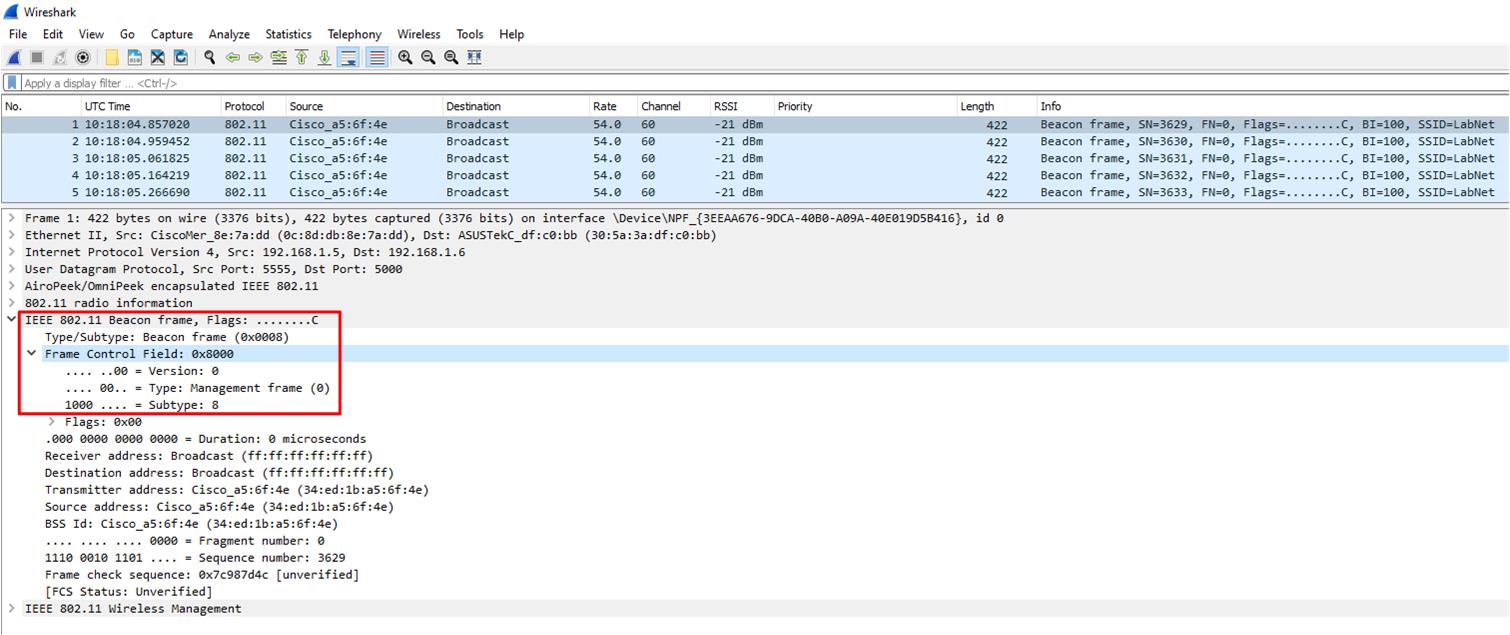
Frames are grouped into three major types, with each type having a number of subtypes. The major frame types are Management, Control, and Data frames. These type and sub-type values can be used to filter out the corresponding frames using Wireshark. The frame type code is contained within the Frame Control Field of the MAC header of each frame. The image below shows this for a beacon frame.
Frame types and sub-types can be filtered in Wireshark as follows (replacing the required values from the table):
wlan.fc.type==<type>
wlan.fc.subtype==<sub-type>
Examples:
All Data frames.
wlan.fc.type==2
Only Probe Request frames.
wlan.fc.type==0&&wlan.fc.subtype==4
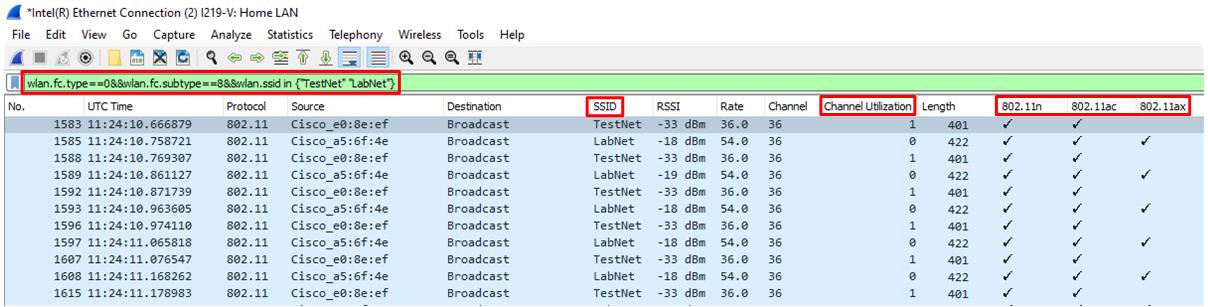
We can of course combine the filtering options along with the addition of columns to create custom views in Wireshark. It just depends what information is required.
The example below uses advertised beacon frames to show a comparison of PHY capabilities between two SSIDs.